Change, pause or remove your AutoOrder
Do it before the locked-on date. After that date the order is already processing.
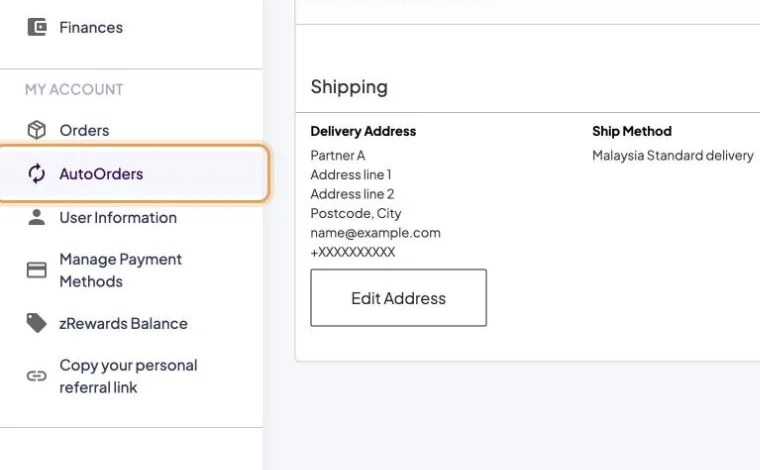
- Step 1 of 4Back Office → My Account → AutoOrders.
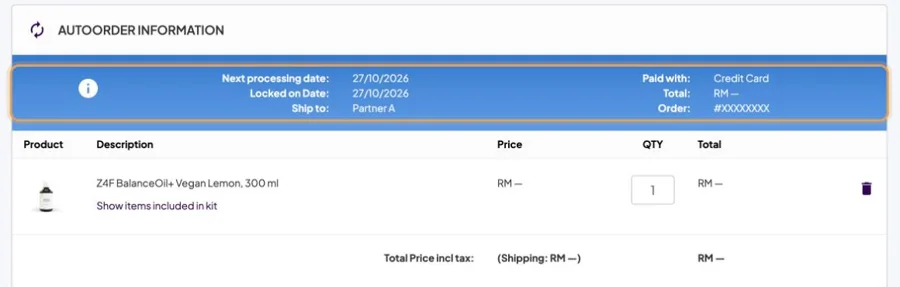
- Step 2 of 4Check Next processing date and Locked on date at the top.
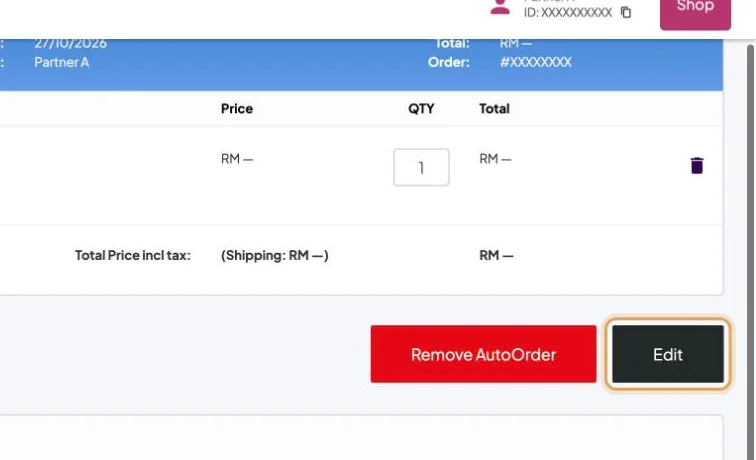
- Step 3 of 4Tap Edit to change products or quantities.
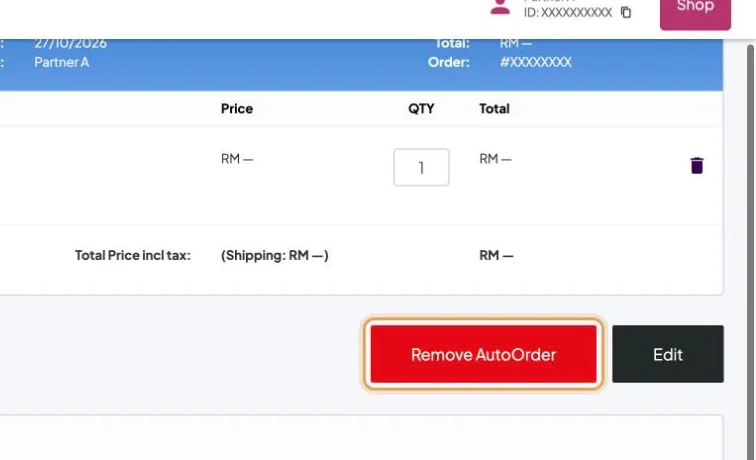
- Step 4 of 4Remove AutoOrder stops it. Check your Z4F and qualifications first: they depend on it.
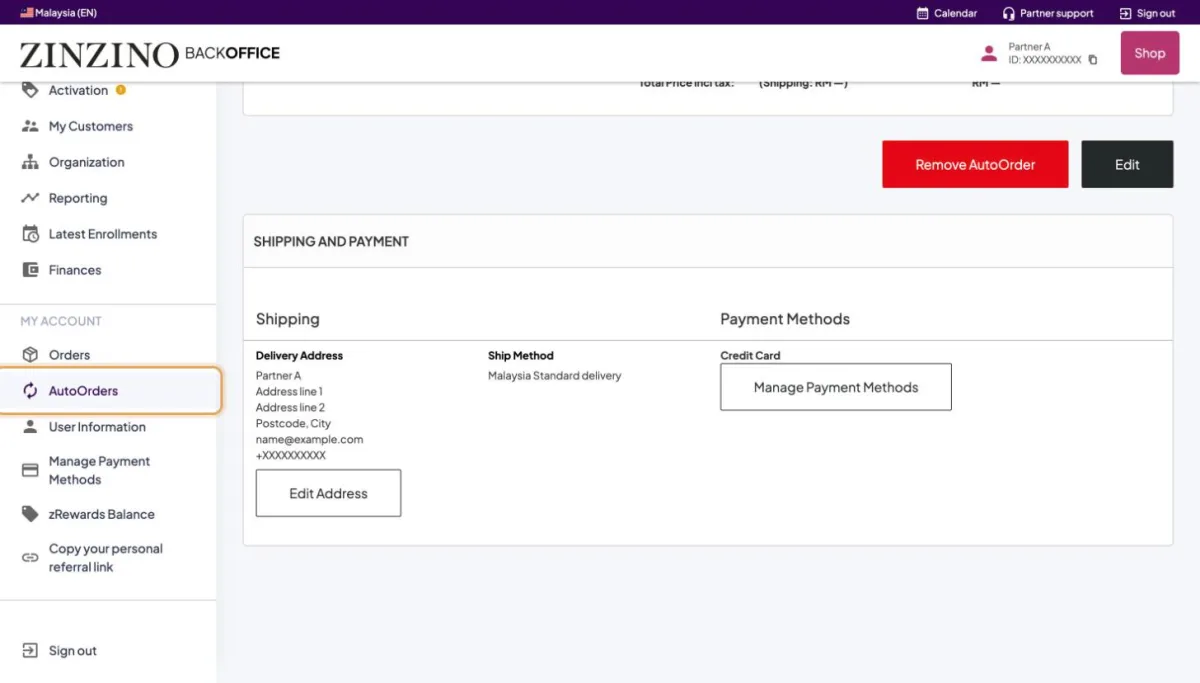
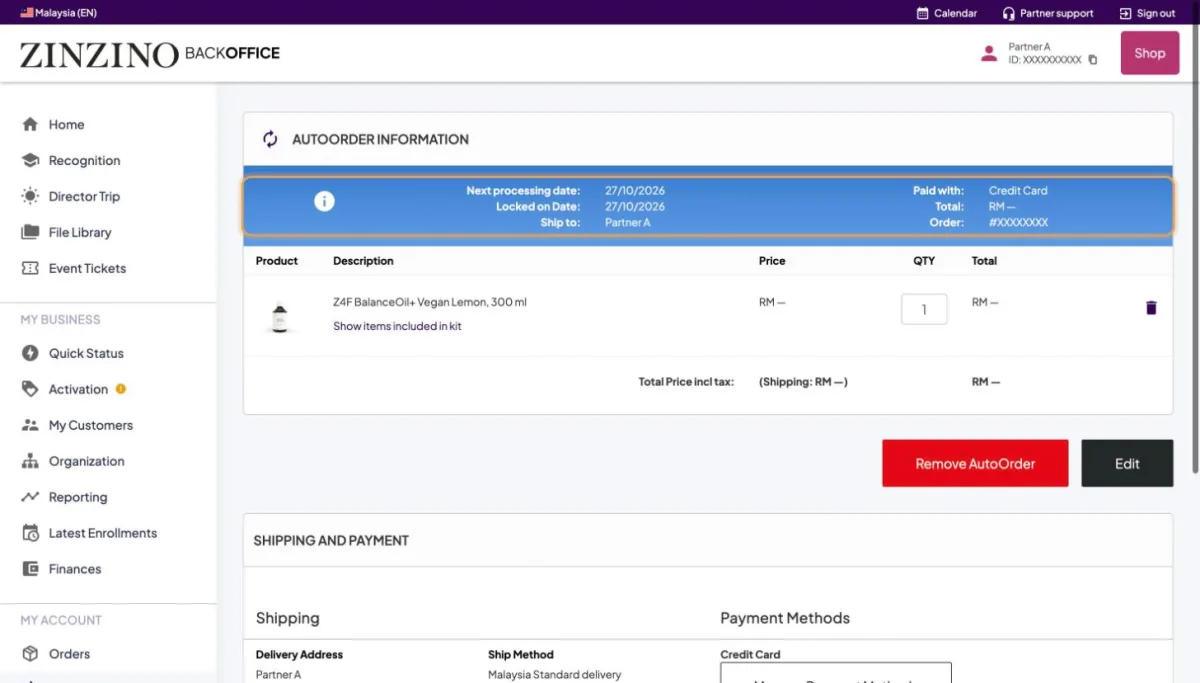
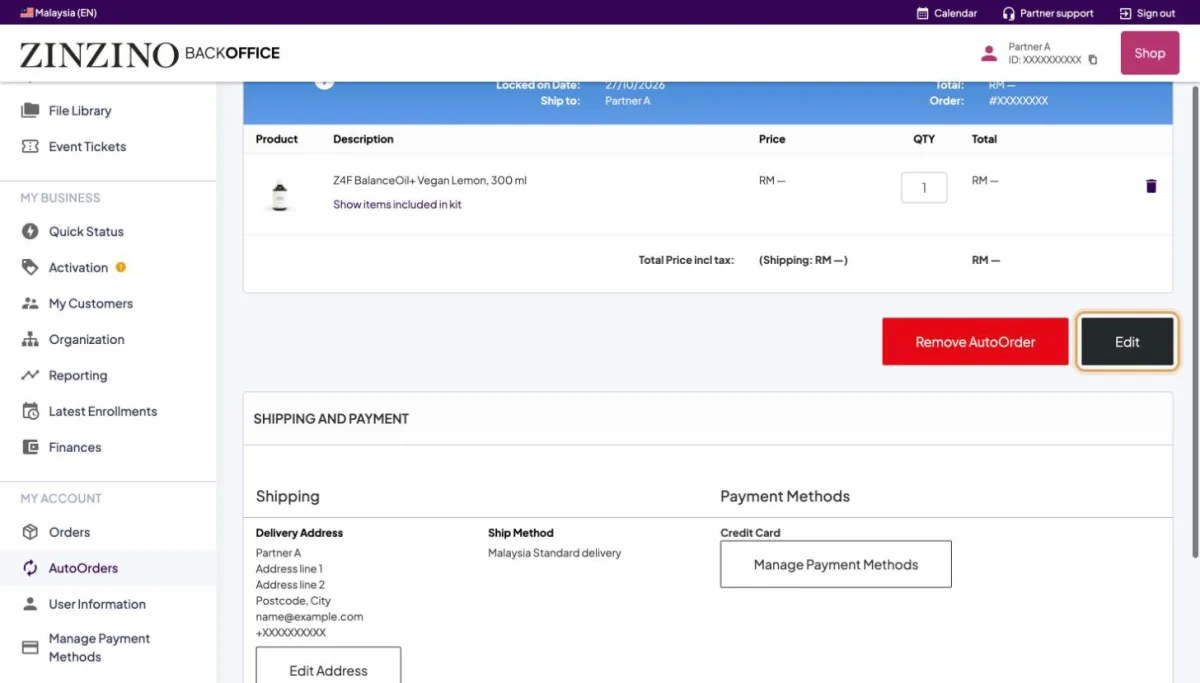
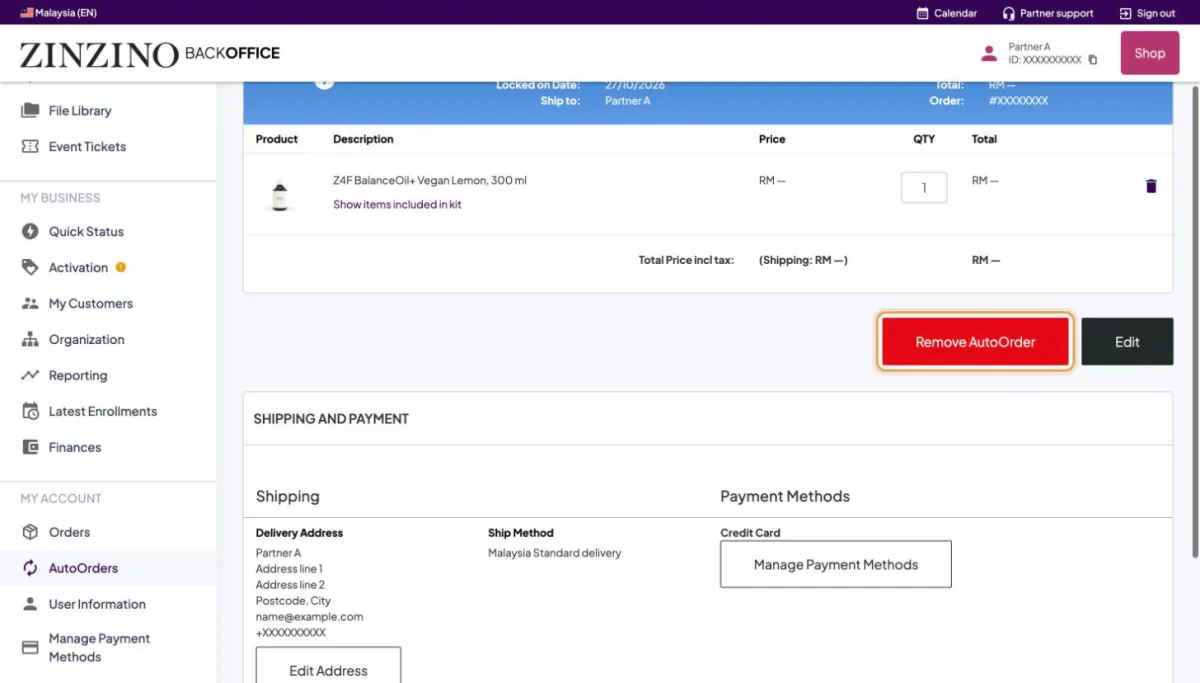
Screenshots from a real Back Office. Names, IDs, contact details and amounts are replaced. Tap a screenshot to see it full size.
Still stuck?
Orders, payments and accounts: Zinzino Partner Support (chat or contact page). How-to questions: your team leader.