Register a new customer
Do it with your customer beside you. Their orders then appear under My Customers.
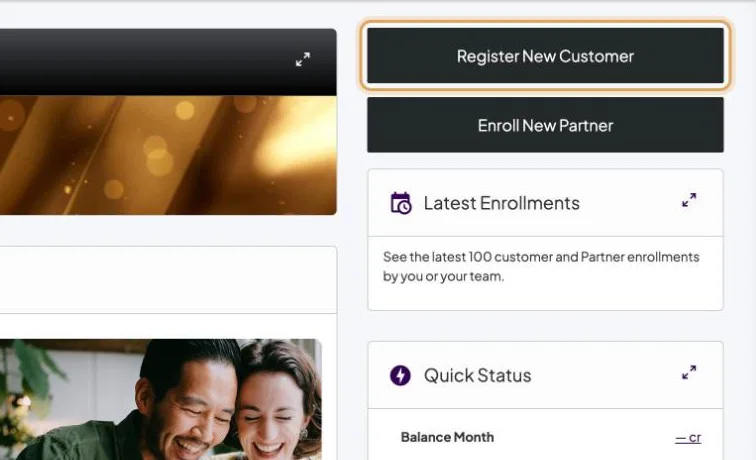
- Step 1 of 4Back Office home → Register New Customer.
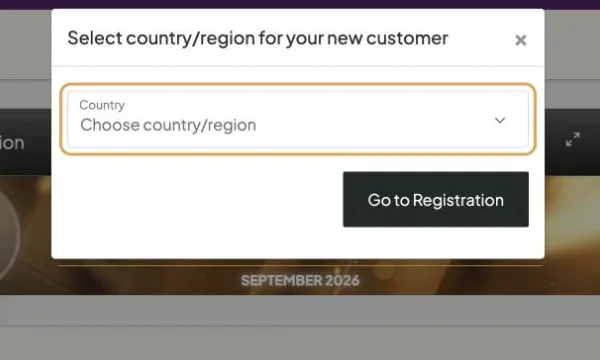
- Step 2 of 4A box asks for your customer’s country.
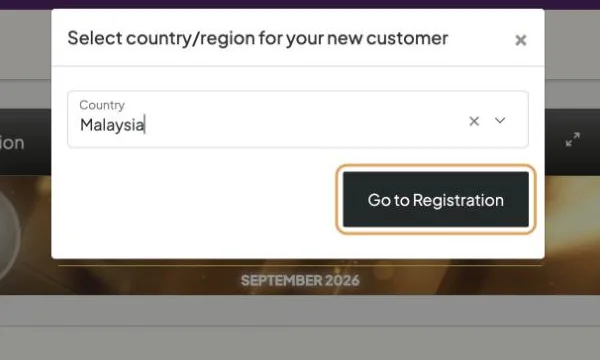
- Step 3 of 4Choose Malaysia, then Go to Registration.
- Step 4 of 4Your shop opens on the Premier Kits. Choose the kit together and follow the checkout.
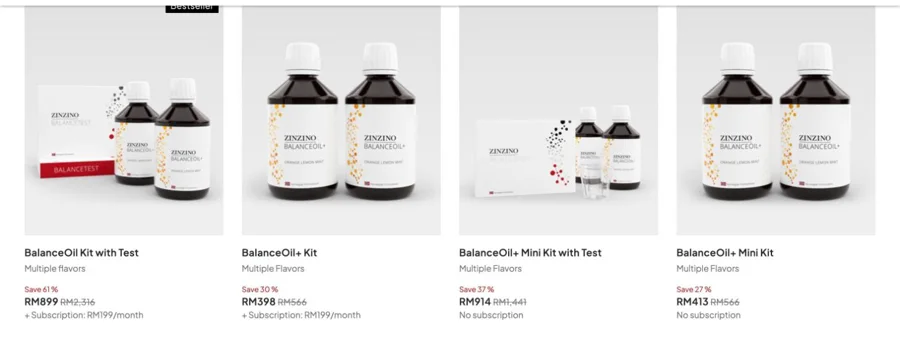
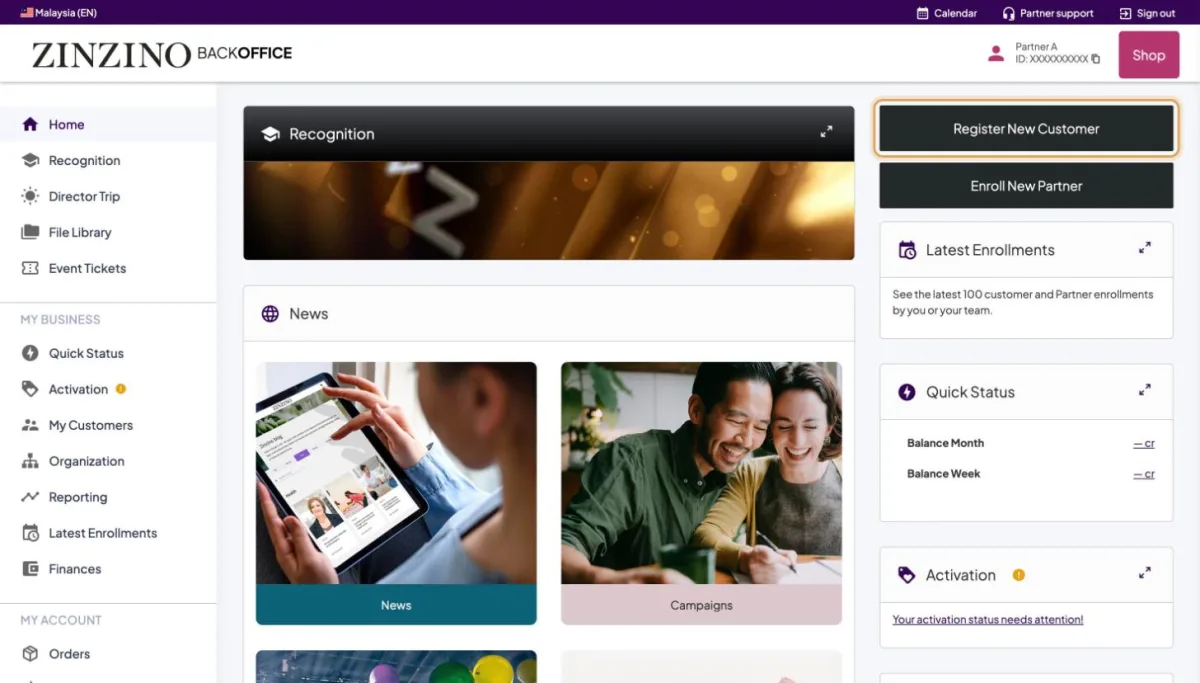
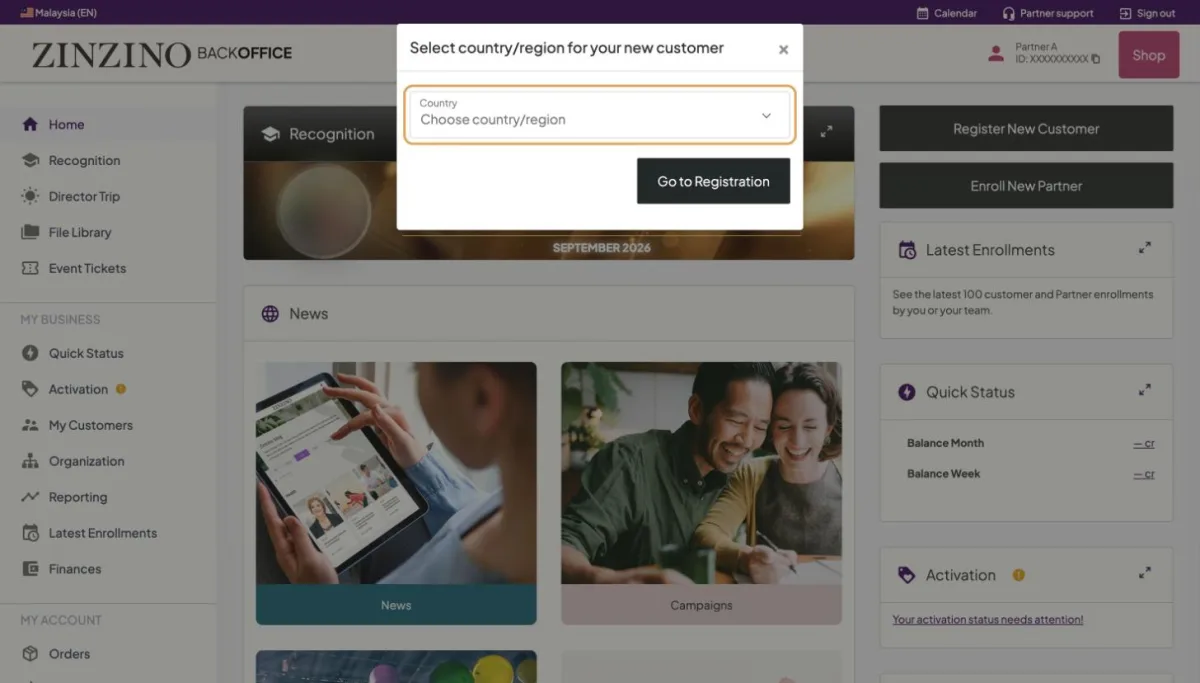
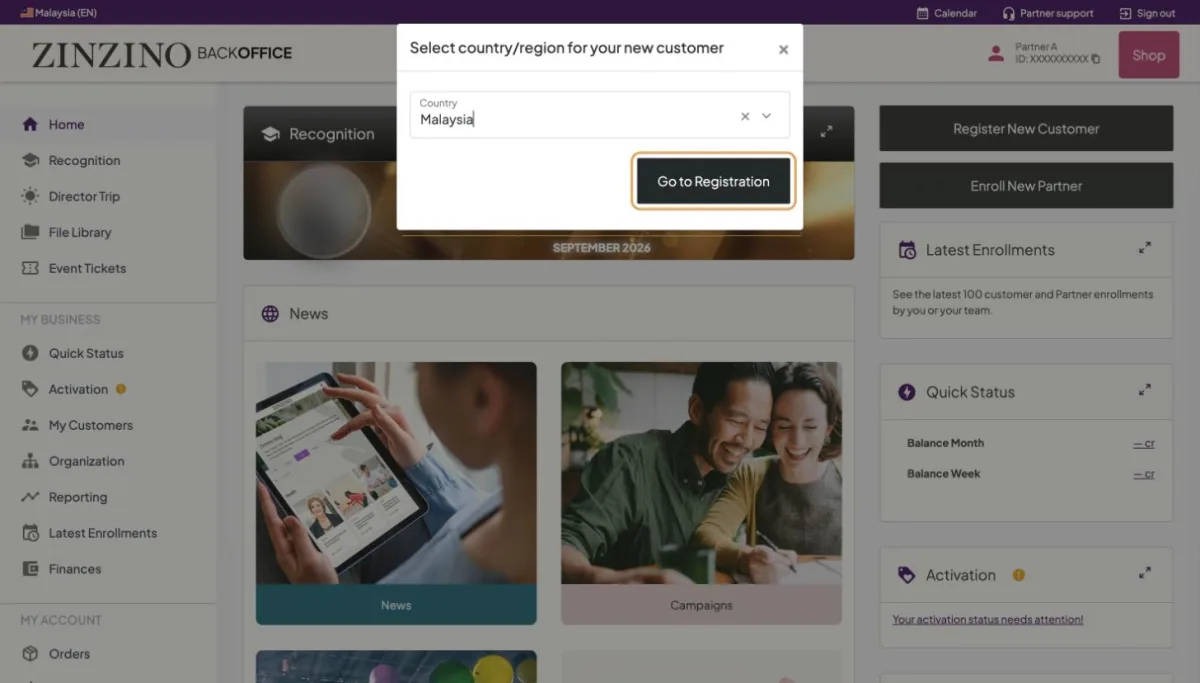
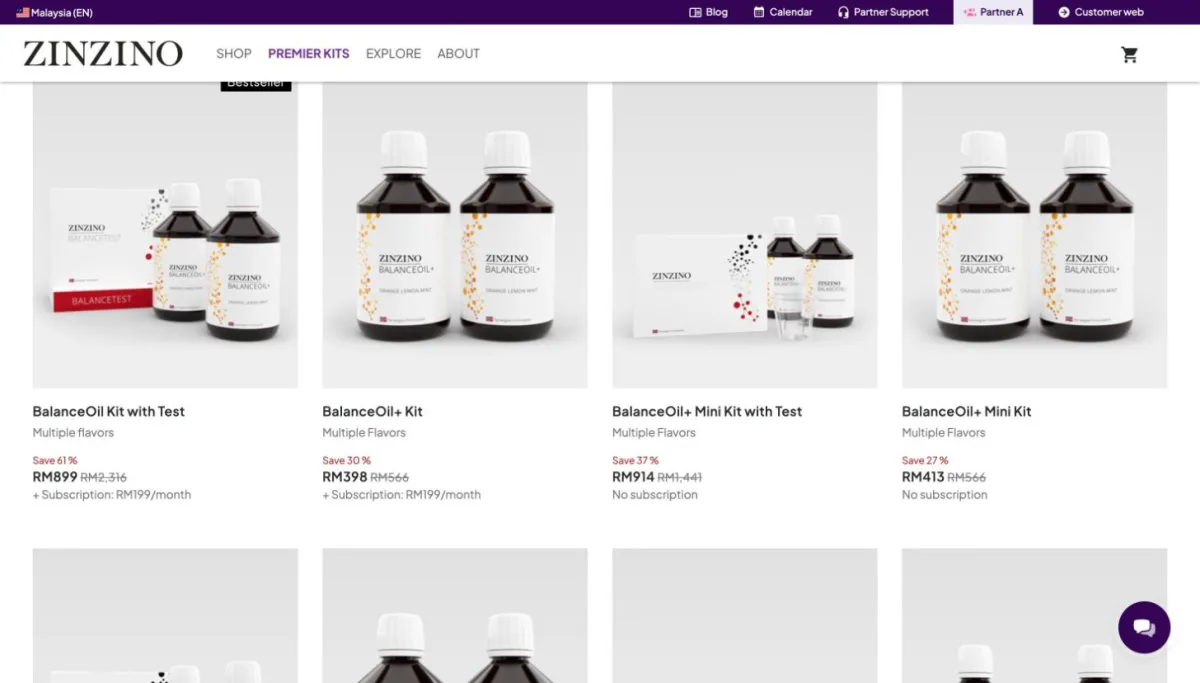
Screenshots from a real Back Office. Names, IDs, contact details and amounts are replaced. Tap a screenshot to see it full size.
Still stuck?
Orders, payments and accounts: Zinzino Partner Support (chat or contact page). How-to questions: your team leader.