Enrol a partner and place them in your team
Not sure where yet? Enroll In Waiting Room first and place them later.
- Step 1 of 4Back Office → Organization.
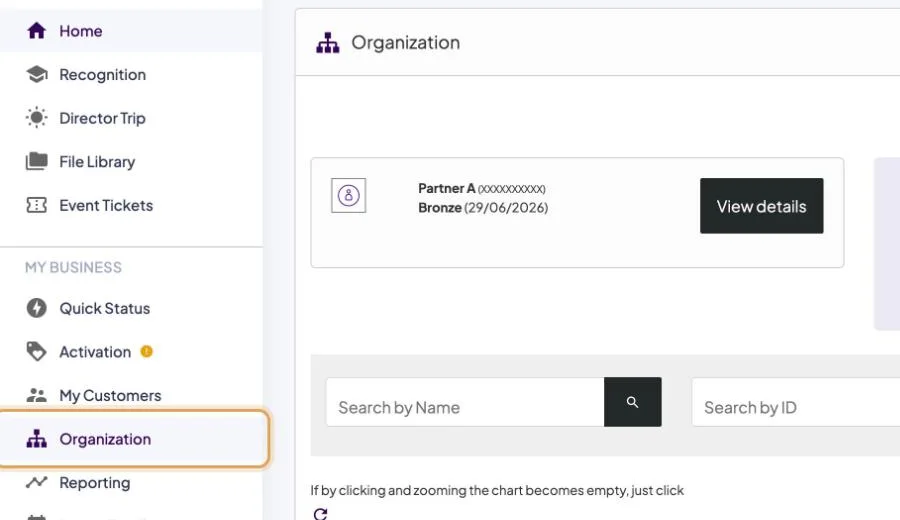
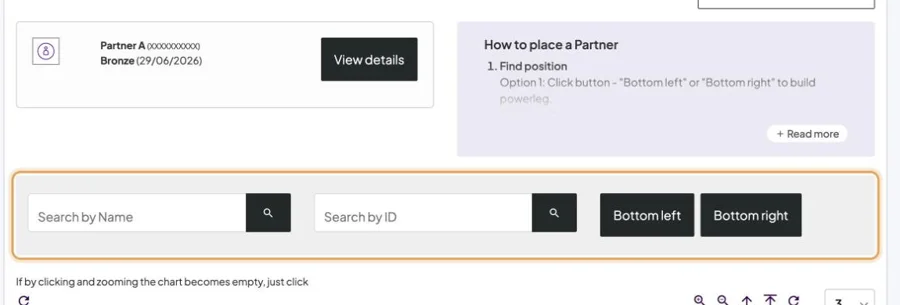
- Step 2 of 4Find the position: Bottom left or Bottom right places at the very bottom of that side (building a power leg); or search for the person to place under; or move through the tree.
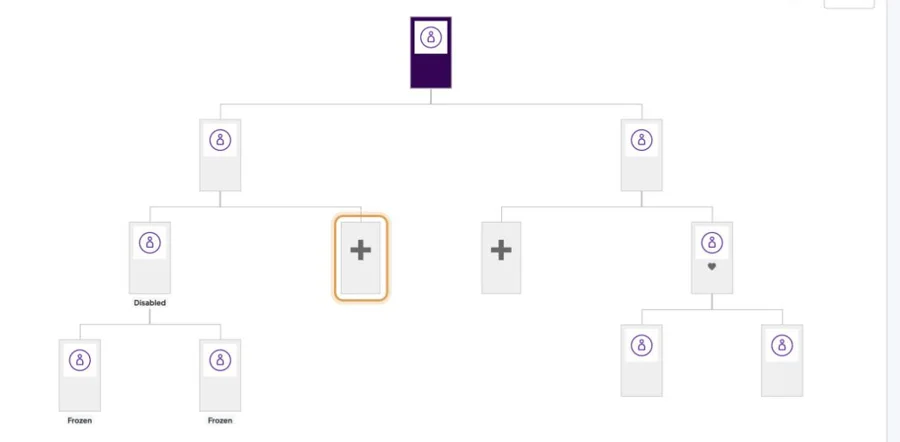
- Step 3 of 4Tap + at that spot.
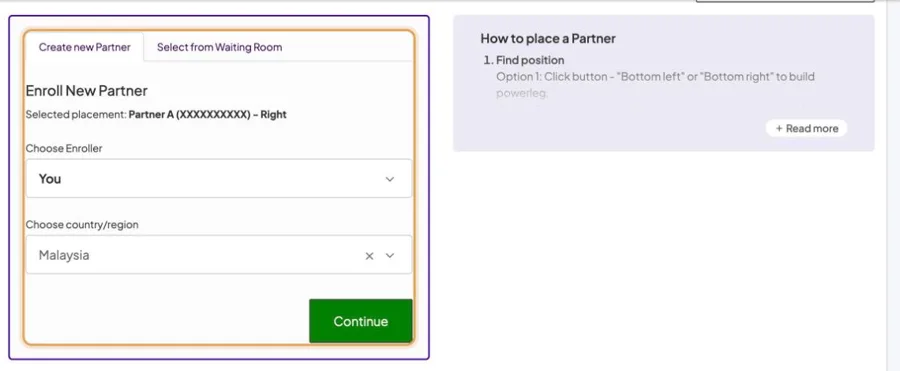
- Step 4 of 4Choose Create new Partner (pick enroller and country, then Continue), or Select someone already in the Waiting Room, then Confirm.
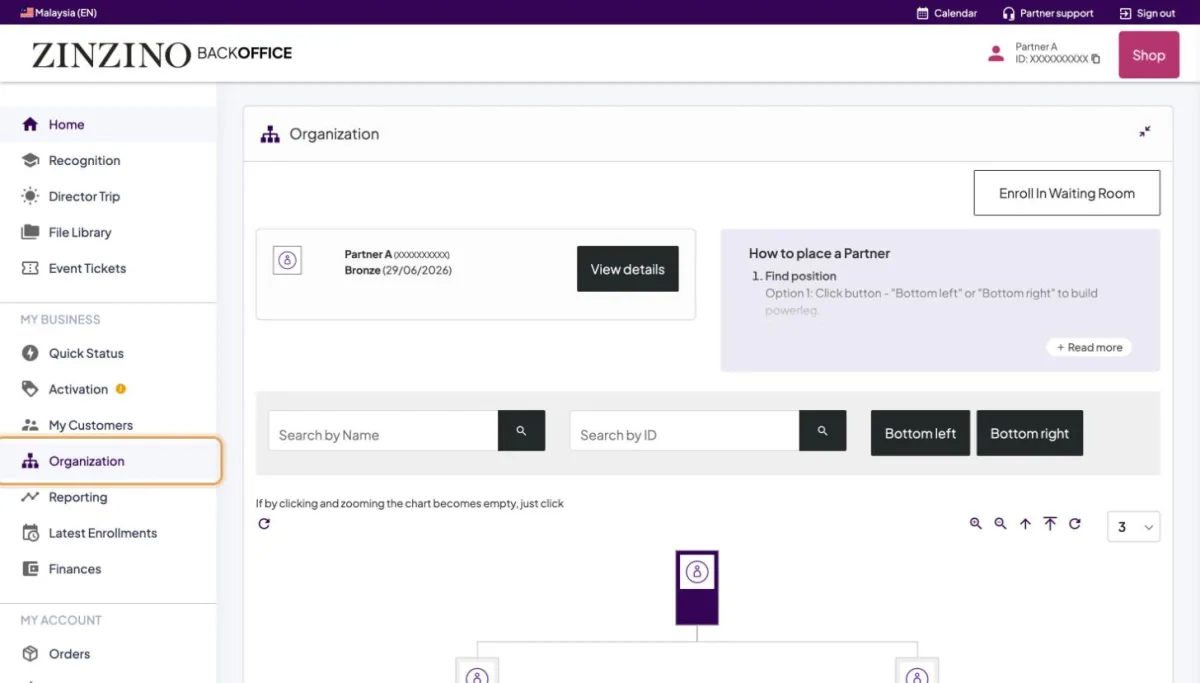
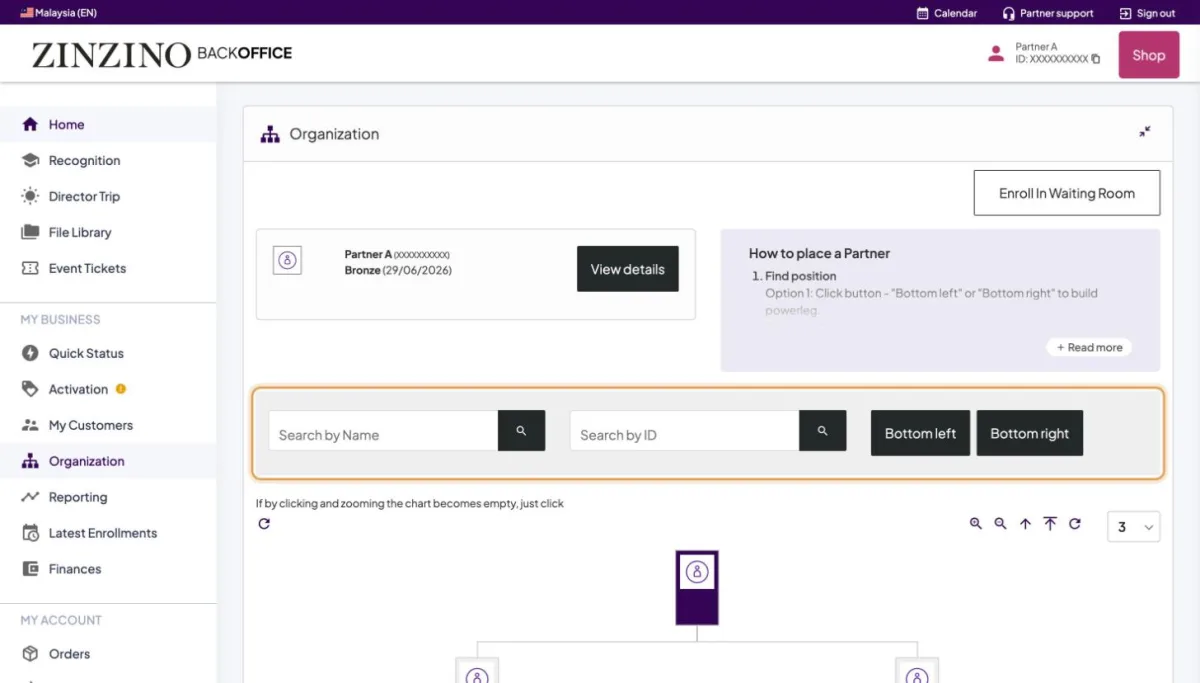
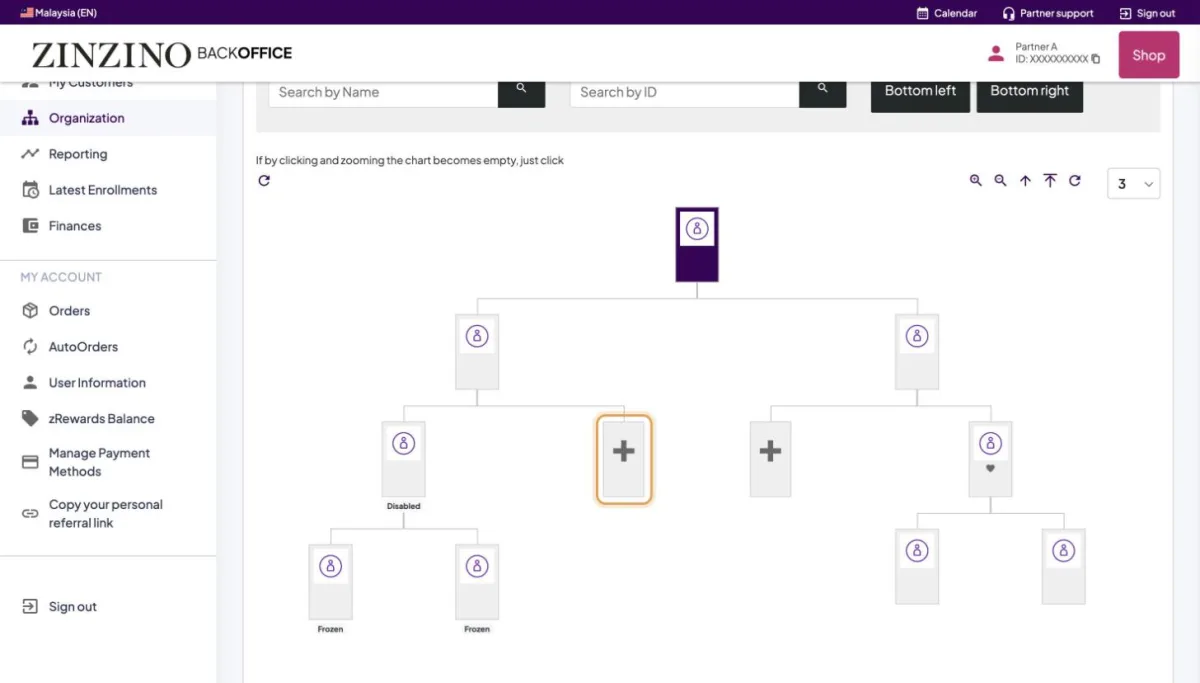
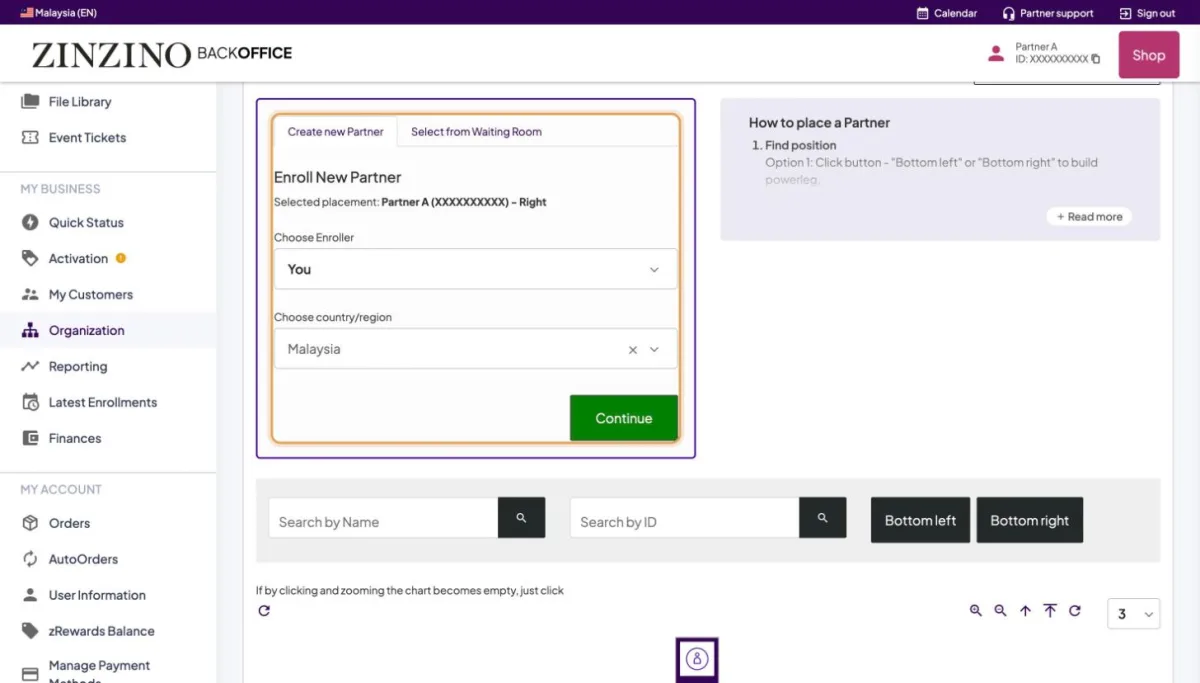
Screenshots from a real Back Office. Names, IDs, contact details and amounts are replaced. Tap a screenshot to see it full size.
Still stuck?
Orders, payments and accounts: Zinzino Partner Support (chat or contact page). How-to questions: your team leader.